

About AlfaTactix
We build exactly your rules, and we publish how we test them
AlfaTactix is a small team that started in 2025. We make a no-code strategy builder for MetaTrader 5 and TradingView: you set your rules in a 7-step form, and fixed code generators turn them into code you can read. Every test number we publish has a date.
- Founded
- 2025
- Team
- A small team, founder A. Kian
- Platforms
- MetaTrader 5 and TradingView
- Support
- A reply within one business day
Plans, prices, the backtest and what the product does not do: AlfaTactix product facts
Why we built it
A clear trading rule should not get stuck in code
We built AlfaTactix for traders who know their rules but do not want to write MQL5 or Pine Script. Three problems shaped it.
Rules get stuck in code
A rule you can say in one sentence can take days to write in MetaEditor or the Pine Editor, and every change means editing the code again.
AI code that does not compile
The most common complaint about AI tools that write trading code is code that does not compile or calls functions that do not exist. So our AI does not write code at all.
Claims nobody can check
"Accurate" means little without a method and a date. So we publish how we test, with each number and the day it was measured.
How we work
One strategy document, fixed generators, tests on the platforms
Four rules shape how we build and test the product.
One strategy document
Every strategy is one document. The form and Tactix Studio write it, one validator checks it with the same rules, and the backtest engine and the code generators read it.
Fixed generators, no AI inside
The code generators are fixed programs with no AI model inside. The same strategy document and the same generator release always produce the same file, byte for byte. Each file names its generator version in its header: 1.0.0.
Tested on the platforms themselves
We check the generated code in MetaEditor, in the MetaTrader 5 tester and on TradingView, against our own reference library and backtest engine. Three of the numbers are below.
Dated numbers, published limits
Every number we publish carries the day it was measured and links to how we measured it. What we have not tested is written down too, such as live and forward trading.
Three numbers, with their dates
1,159 / 1,159
indicator test values equal our reference library bit for bit on MetaTrader 5; on TradingView, 461 of 461 with zero tolerance
29 / 29
golden Expert Advisors compile in MetaEditor with 0 errors and 0 warnings
29 / 31
golden test strategies give the same signals in our backtest engine and the MetaTrader 5 tester; the other 2 are strategies MetaTrader cannot run, and we refuse to generate them
Bit for bit applies to indicator values. Trades are equal, or differ for a named and listed cause. These are our own engineering tests, not an outside certificate.
What we will not do
Promises we do not make
Being clear about what a trading tool does not do is part of being honest about it.
No promises about results
We do not promise how a strategy will do in the market. The builder builds the rules you describe; it does not search for strategies that do well. A backtest shows how rules behaved on past bars, not what they will do next.
No AI-written code
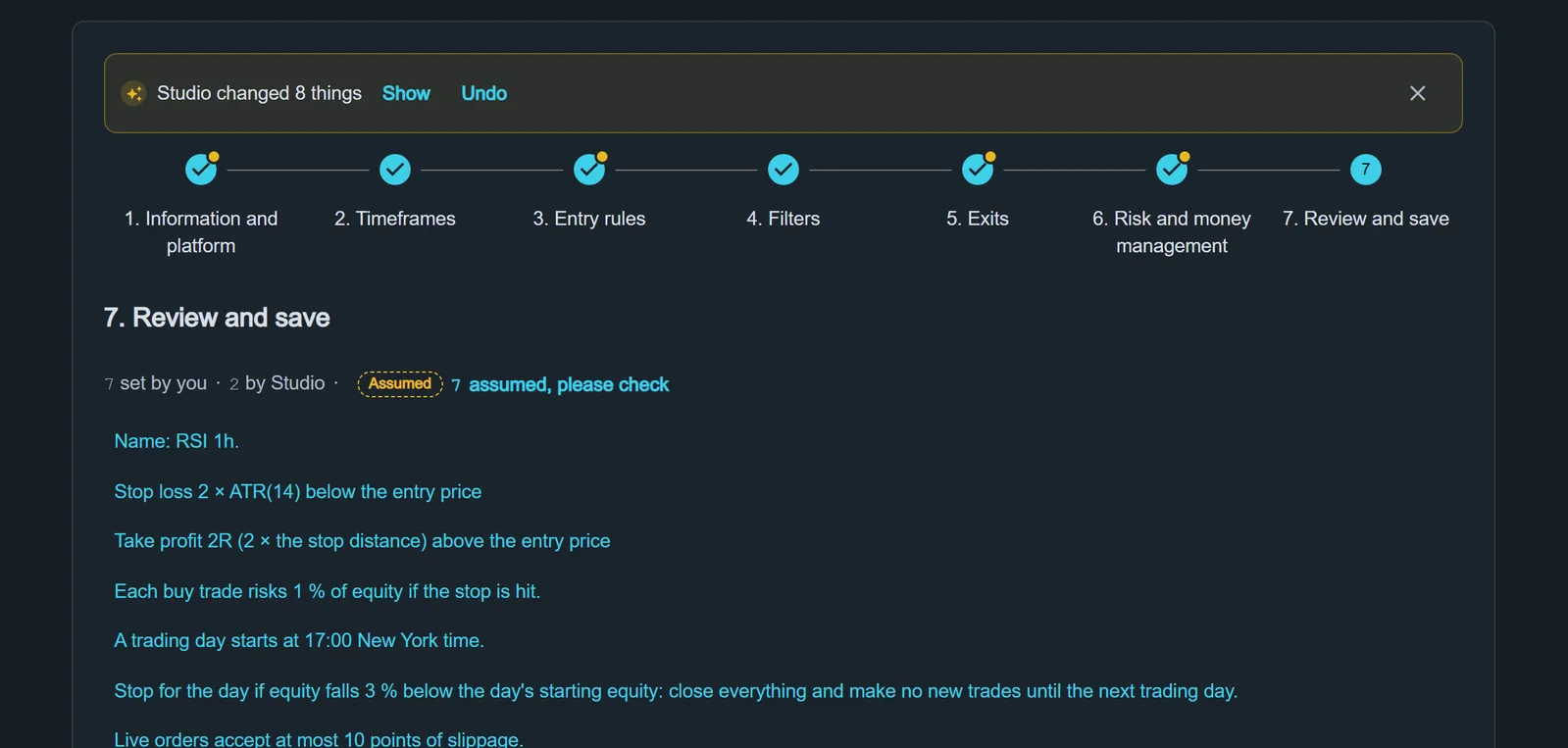
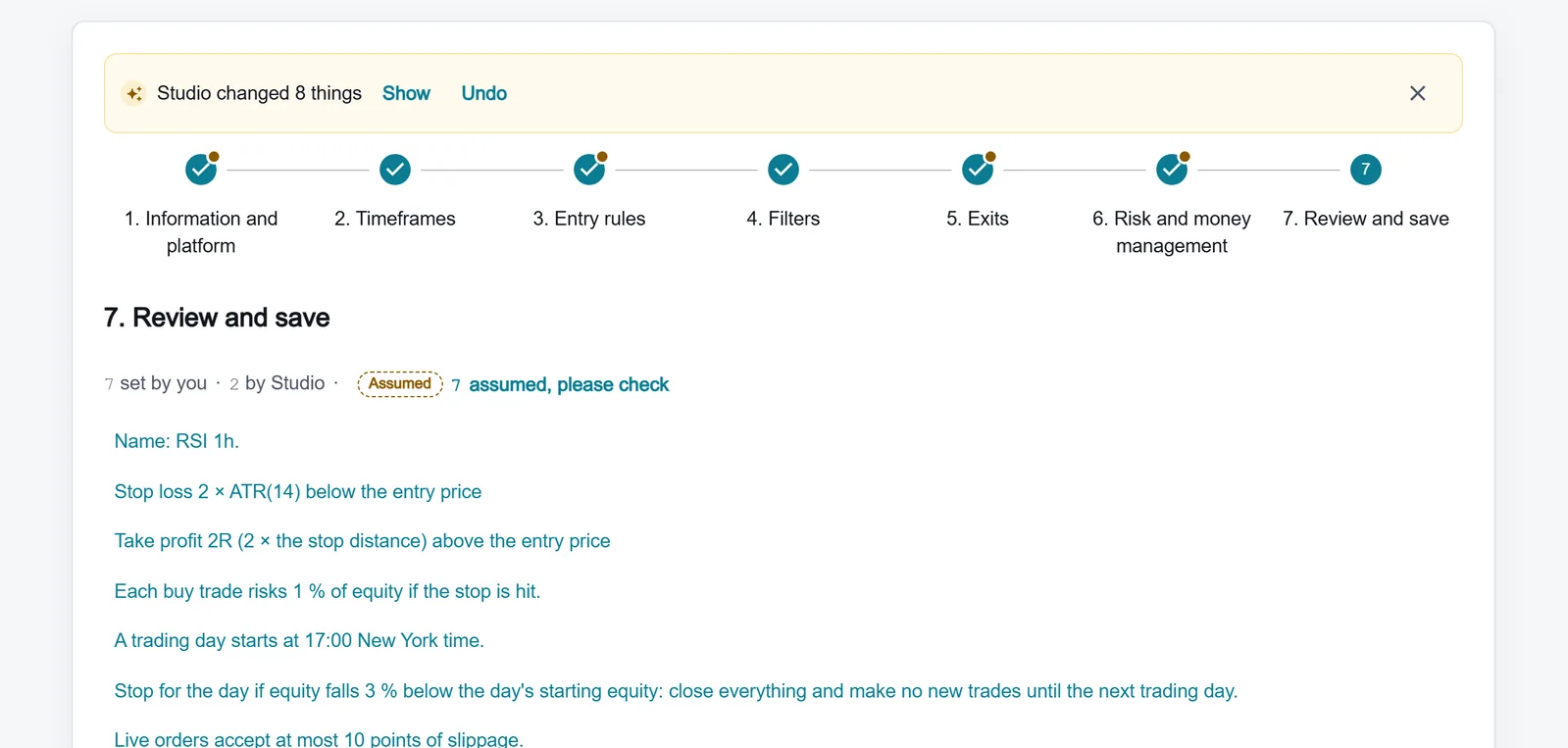
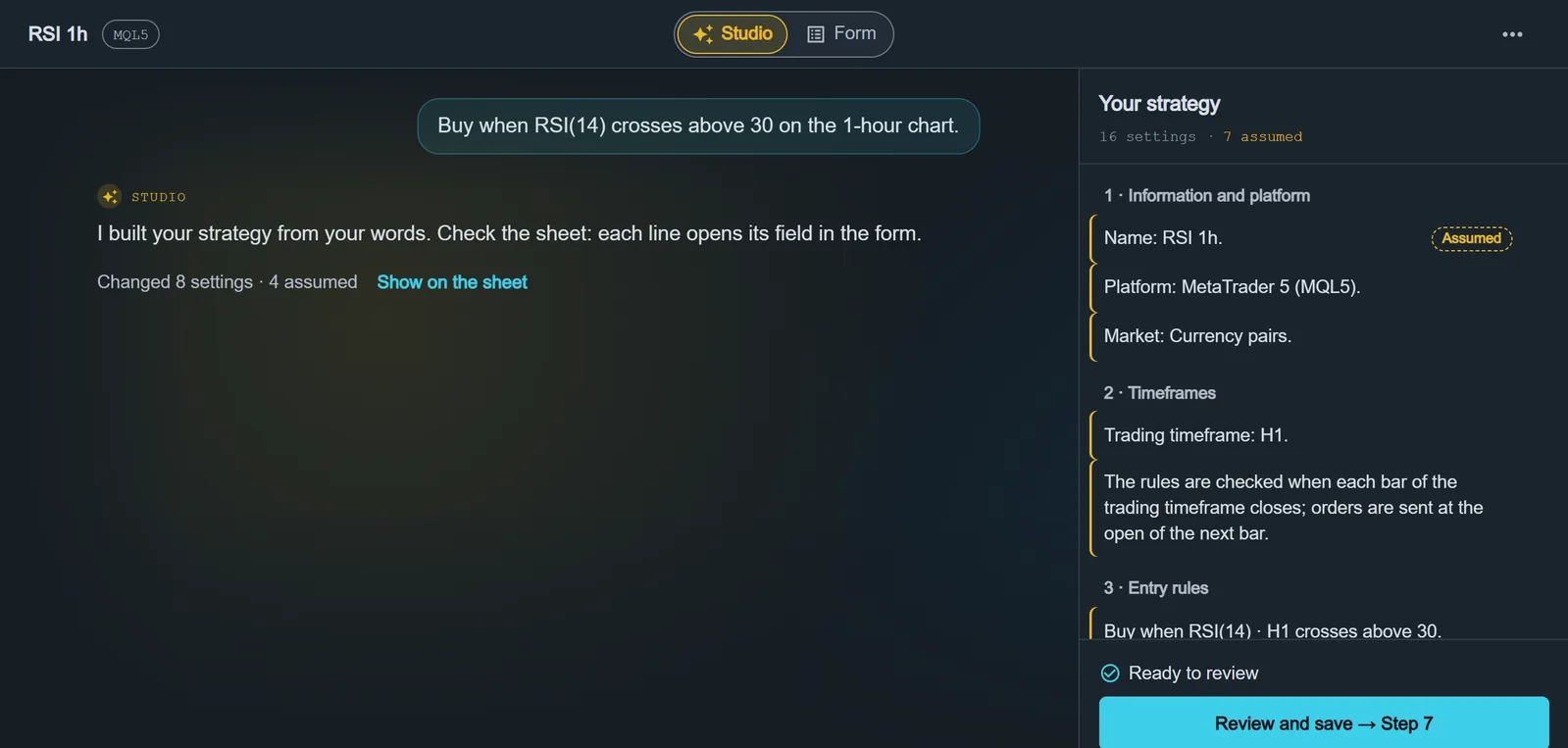
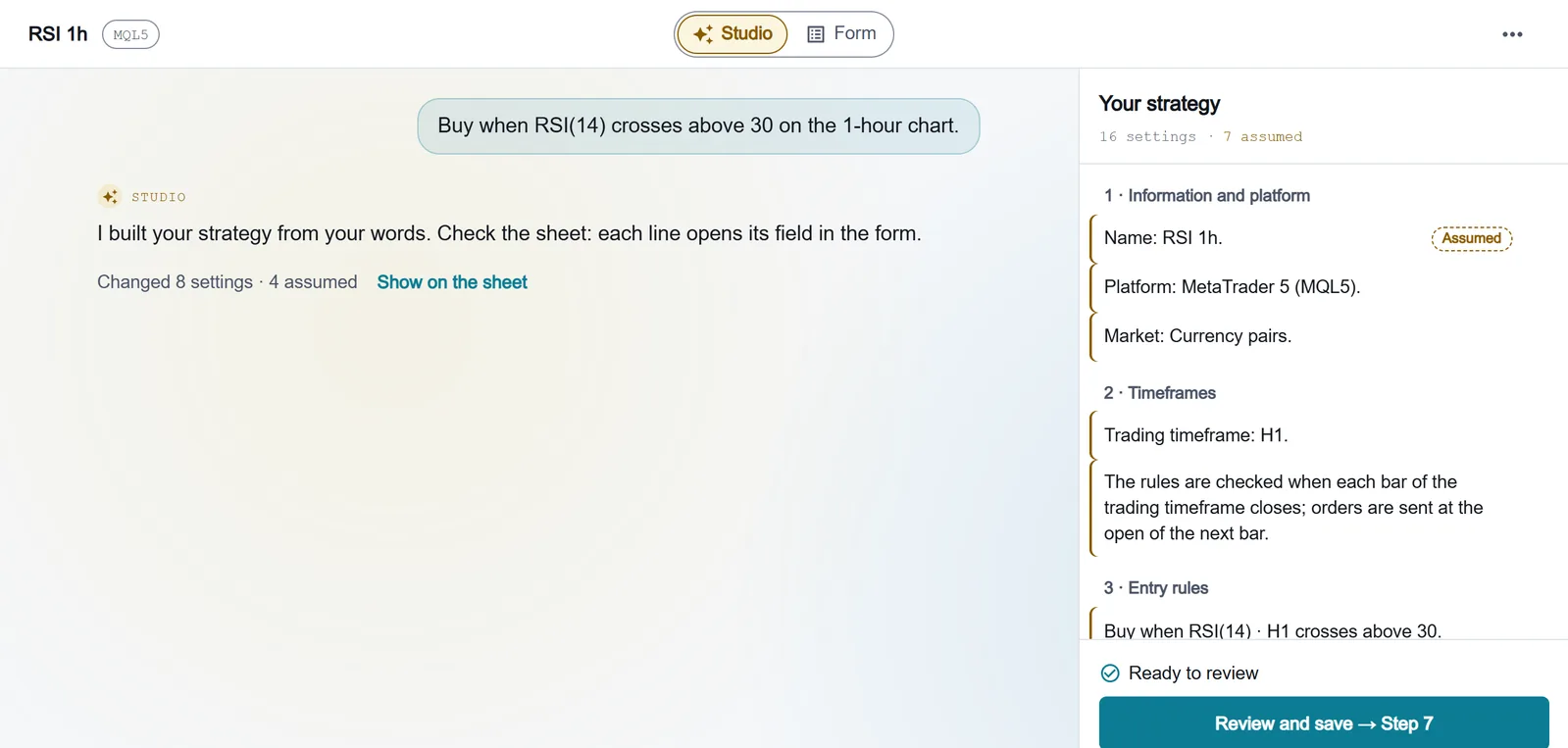
Tactix Studio, the AI in the builder, never writes code. It fills the same form you use; you see every change and save it yourself. The code always comes from the fixed generators.
No live-trading claims
Our tests ran in the MetaTrader 5 tester and on TradingView backtests. Live and forward trading have not been tested, and we do not say they have.
No grid or martingale
The builder has no grid of orders and no martingale (raising the size after a loss). Tactix Studio says so, builds neither and never sets risk above 10% per trade.
No MetaTrader 4
The builder generates MQL5 for MetaTrader 5 and Pine Script v6 for TradingView. MetaTrader 4 is not supported.
Who it is for
Built for traders with clear rules
You do not need to write code. You do need to know what your strategy should do.
Traders with clear rules
You know your entries, exits and risk, and you want them as a MetaTrader 5 Expert Advisor or a TradingView strategy without writing the code yourself.
Traders learning automation
Start with the demo, with no signup, and learn the ideas behind indicators, filters and risk in the Academy.
Programmers who want a readable start
The code uses no platform indicator built-ins: every indicator is written out in the file you download, so you can read it and change it in MetaEditor or the Pine Editor.
Security and privacy
What we ask for, and what we do not
Plain facts about the product. The legal terms are in our Privacy Policy.
No platform passwords
You download the code and run it in your own MetaTrader 5 terminal or TradingView account. We never ask for your broker, MetaTrader 5 or TradingView login.
No trades placed for you
AlfaTactix does not connect to your broker and places no trades. Tactix Studio cannot run backtests or place trades, and it never saves your strategy: you check and save it in the form.
What Studio sends, and where
What you write to Studio is sent to an AI model provider to be read. Which providers we use, and what they do with your text, is in our Privacy Policy. Please do not write personal data in your messages.
The Privacy Policy lists the AI providers Studio uses.
Frequently asked questions
Who is behind AlfaTactix?
AlfaTactix is a small team led by its founder, A. Kian. We started in 2025.
Does an AI write my code?
No. Tactix Studio fills the same form you use; you see every change and save it yourself. The code always comes from the fixed generators, the same as for a strategy you build by hand.
Has the code been tested with real money?
No. We tested in the MetaTrader 5 tester and on TradingView backtests, and we publish the numbers with their dates on How we test. Live and forward trading have not been tested, so check any strategy in your platform's tester and on a demo account first.
Which platforms do you support?
MetaTrader 5 (MQL5) and TradingView (Pine Script v6). You choose the platform in Step 1 of each strategy. MetaTrader 4 is not supported.
Can I try AlfaTactix before I pay?
Yes. The public Strategy Builder demo needs no signup. What each plan includes is on the Pricing page.
How do I contact you?
Write to support@alfatactix.com or use the contact page. We reply within one business day.
Try the builder, or talk to us
Open the demo with no signup, or write to us with a question. We reply within one business day.